Persistent sessions
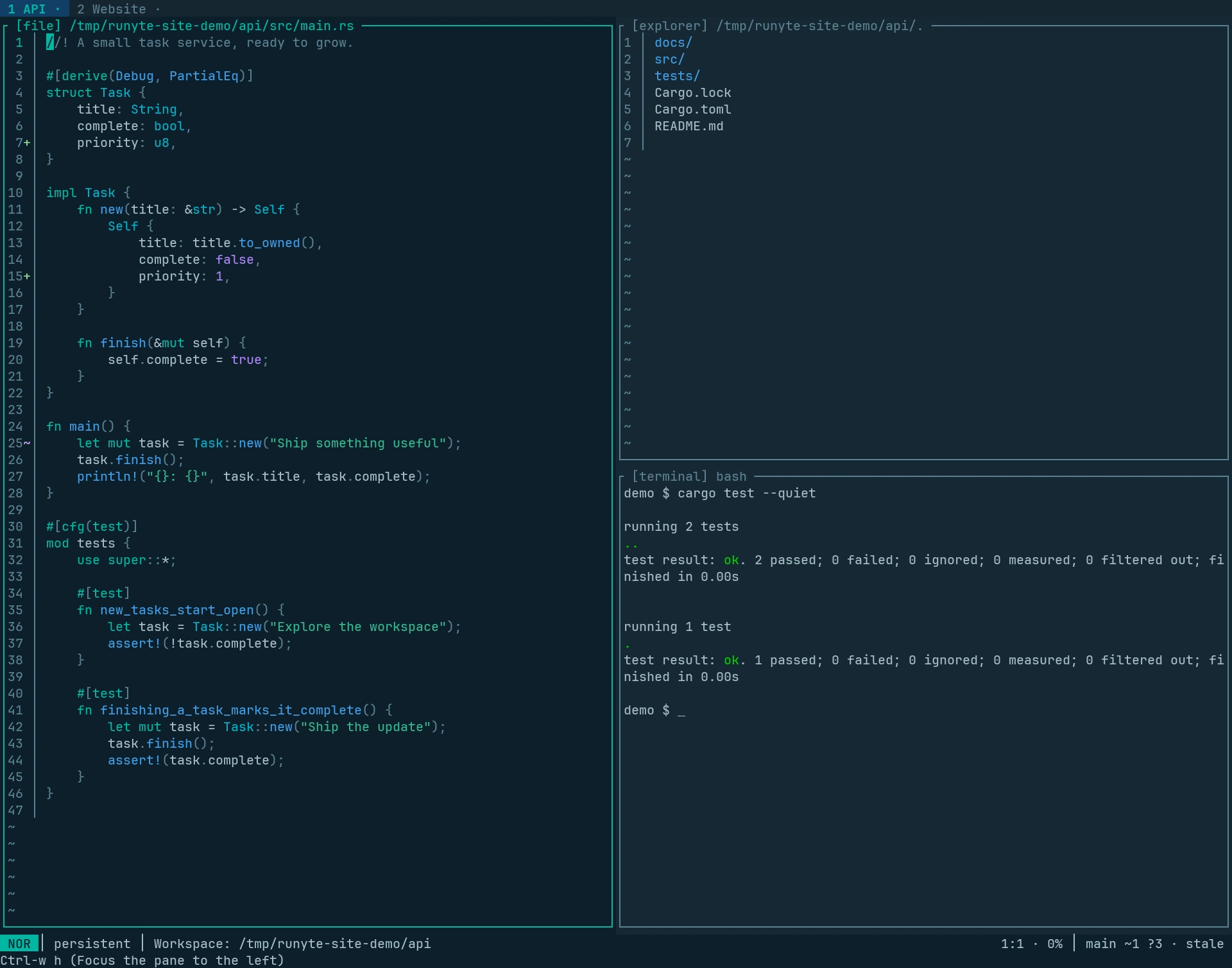
Keep terminals running and unsaved buffers open while switching projects. A local host holds the workspace; your terminal attaches to it.
Start or return
runyte -a
Use :detach to leave the session running. Run the same command in the same
directory to return. From terminal input, press Ctrl-\ before typing :detach.
Switch projects
| Task | Keys |
|---|---|
| Session manager | Space Space |
| Previous / next running session | Shift-Left / Shift-Right |
| Previous session | Ctrl-w a |
| Numbered running session | Space 1–9 |
| Buffers and terminals in this workspace | Space n |
From an integrated terminal, you can also switch with:
cd ../other-project
runyte -a
Stop a session
From an outer shell:
runyte --session-list
runyte --session-stop PROJECT
Use a session name, an unambiguous ID prefix, or a project directory. A normal stop refuses protected work, including unsaved files and live terminal children. Save edits and finish terminal programs first.
What persists
- Panes, open files, unsaved buffers, and language servers.
- Shells, agents, and other terminal processes.
- One interactive terminal interface per workspace at a time.
State lasts only while the host runs. Save important work to disk; unsaved text and live processes do not survive host termination or reboot.