Use coding agents inside Runyte
Run Claude Code or Codex in terminal panes beside your files. Use Runyte to edit their prompts and inspect their output.
Set up
Install the agent separately. Set your editor in your shell configuration:
export EDITOR='runyte --wait'
export VISUAL='runyte --wait'
Restart an existing agent after changing these variables.
- Run
runyte -ain your project. - Press
Ctrl-w vto split the view. - Press
Ctrl-w tto open a terminal. - Start
claudeorcodex.
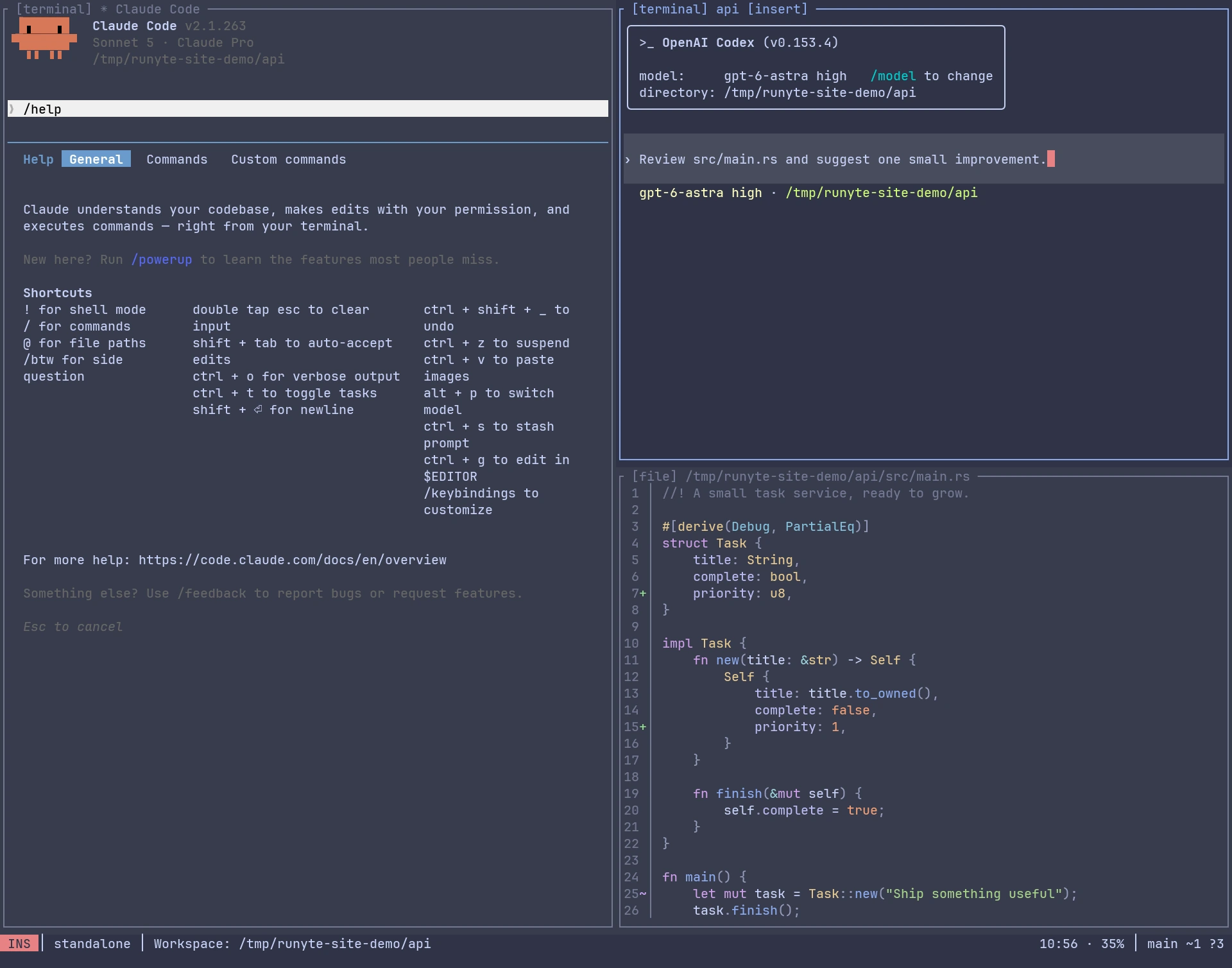
Edit a prompt with Ctrl-g
- Draft a prompt in the agent.
- Press
Ctrl-gto open it in Runyte. - Press
iand edit. PressEscwhen done. - Run
:wqto save and return to the agent. - Review the prompt, then submit it.
Saving with :w alone leaves the editor request open.
:q! cancels the request and discards unsaved changes.
Move around
| Task | Keys |
|---|---|
| Move between panes | Ctrl-w h/j/k/l |
| Open Navigator, including from a terminal | Ctrl-w n |
| Leave terminal input | Ctrl-\ |
| Resume terminal input | i |
| Find files or content from editor modes | Space f, then Tab to switch |
| Open Git actions from an editor buffer | Space g |
Keep agents running
Use :detach after finishing any prompt-editor request.
Return with runyte -a in the same project.
Buffers and terminals stay alive while the local host runs. They do not survive host termination or reboot.